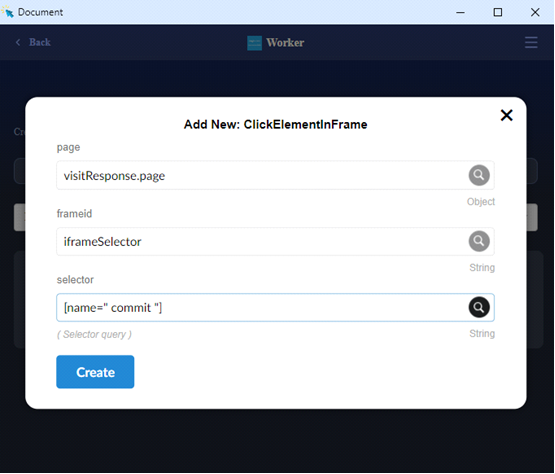
ClickElementInFrame
ClickElementInFrame is used to locate and click on an element inside a specified iframe. The method ensures that interactions are correctly targeted within the iframe's context.
Parameters
- page (visitResponse .page): The page object returned by Pupet.Visit.
- frameid -
String: The identifier (name or ID) of the iframe containing the target element. For example, iframe name="example-iframe-id"] specifies the iframe. - selector -
String: The CSS selector used to identify the element within the iframe. For example, #button-id could refer to a button element's ID.
RpScript
How to use
Pupet.OpenBrowser({ headless: false, browser: "Chrome" });
var visitResponse = Pupet.Visit("W3Schools.com");
Pupet.ClickElementInFrame(visitResponse.page, "iframeSelector", "name='commit']");
Pupet.CloseBrowser();
Extension